Learning Outcomes
Upon successful completion of this lesson, students will be able to:
i. Define and differentiate between magnetic memory and optical memory, understanding the underlying principles of data storage in each technology.
ii. Explain the working mechanism of magnetic memory, utilizing magnetic fields to represent data bits, and its applications in magnetic tapes and hard disk drives (HDDs).
iii. Grasp the concept of optical memory, employing lasers to read and write data on optical discs, and its applications in CD, DVD, and Blu-ray discs.
iv. Recognize the advantages and limitations of magnetic memory, including its durability, compatibility, and relatively low cost, but also its susceptibility to physical damage and data loss.
v. Appreciate the strengths and limitations of optical memory, highlighting its high storage capacity, long data retention, and resistance to physical damage, while acknowledging its slower access times and limited rewritability.
vi. Evaluate the suitability of magnetic and optical memory technologies for different data storage needs, considering their respective strengths and limitations.
Introduction
In the ever-expanding digital world, data storage plays a pivotal role in preserving and accessing information. Magnetic and optical memory technologies have emerged as prominent solutions for storing vast amounts of data effectively. This lesson delves into the realm of magnetic and optical memory, guiding students through their distinct principles, applications, and suitability for various data storage requirements.
i. Magnetic Memory: The Power of Magnetism
Magnetic memory utilizes magnetic fields to represent data bits. Magnetic materials, such as iron oxide, can be magnetized to represent a 0 or a 1, depending on the direction of the magnetic field. This method of data storage is employed in various devices, including magnetic tapes and hard disk drives (HDDs).
Applications of Magnetic Memory:
Magnetic Tapes: Magnetic tapes store data in a linear fashion along the length of the tape, offering long-term archival capabilities for large volumes of data.
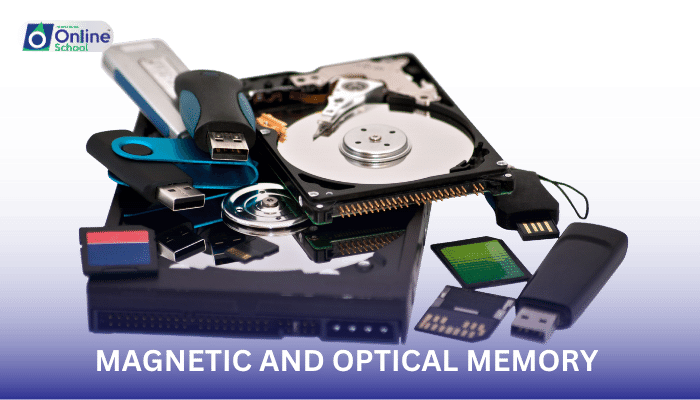
Hard Disk Drives (HDDs): HDDs employ spinning platters coated with a magnetic material, utilizing read/write heads to store and retrieve data. They offer high storage capacity at a relatively low cost.
Advantages of Magnetic Memory:
Durability: Magnetic memory is highly durable, withstanding physical wear and tear.
Compatibility: Magnetic storage devices are widely compatible with various computing systems.
Cost-Effectiveness: Magnetic memory technologies are relatively affordable per gigabyte of storage.
Disadvantages of Magnetic Memory:
Susceptibility to Physical Damage: Magnetic media can be damaged by strong magnetic fields or physical shocks, potentially causing data loss.
Data Loss: Data loss can occur due to factors such as head crashes or media degradation.
ii. Optical Memory: Illuminating Data Storage
Optical memory employs lasers to read and write data on optical discs. A laser beam is used to create microscopic pits or bumps on the surface of the disc, representing binary digits (0s and 1s). Optical memory is the technology behind CD, DVD, and Blu-ray discs.
Applications of Optical Memory:
CDs: CDs offer a versatile and portable medium for storing music, data, and software.
DVDs: DVDs provide higher storage capacity compared to CDs, enabling storage of high-definition video content.
Blu-ray Discs: Blu-ray discs represent the pinnacle of optical memory technology, offering even higher storage capacity and advanced data protection features.
Advantages of Optical Memory:
High Storage Capacity: Optical discs offer significant storage capacity, enabling the storage of large multimedia files and software applications.
Long Data Retention: Optical media can retain data for extended periods, providing reliable long-term archiving solutions.
Resistance to Physical Damage: Optical discs are less susceptible to physical damage compared to magnetic media.
Disadvantages of Optical Memory:
Slower Access Times: Optical memory devices generally have slower access times compared to magnetic storage devices.
Limited Rewritability: Optical discs often have limited rewritability, with some discs being read-only.
Magnetic and optical memory technologies have revolutionized data storage, providing efficient and reliable solutions for preserving and accessing information. Magnetic memory excels in durability, compatibility, and cost-effectiveness, while optical memory shines in high storage capacity, long data retention, and resistance to physical damage. Understanding the strengths and limitations of these technologies empowers individuals to select the appropriate data storage option for various computing needs. As technology advances, new memory technologies may emerge, further enhancing data storage capabilities and shaping the future of information preservation and access.
